
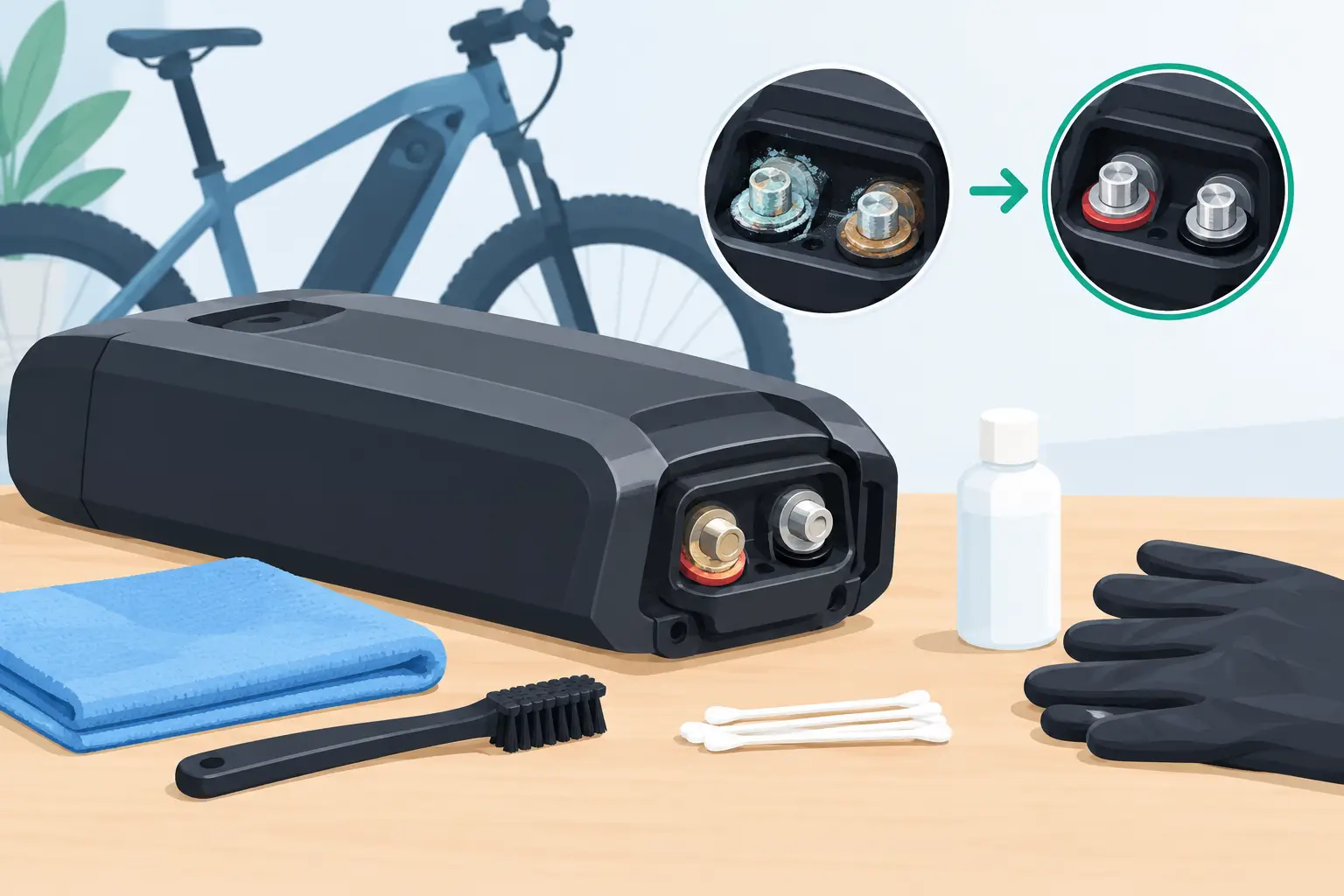
A battery that cuts out over bumps, charges only when the connector is held at an angle, or suddenly shows no power may have a simple-looking but serious problem: ebike battery terminal corrosion. Those small metal contacts carry all the current between your battery and the bike. When they become dirty, oxidized, loose, or heat-damaged, the electrical connection can become unreliable fast.
For San Diego riders, this can happen after coastal moisture exposure, wet-weather riding, outdoor storage, or repeated use of a bike with a loose-fitting battery. The white, green, brown, or black residue you see at a terminal is not always the whole issue. Corrosion often comes with worn spring contacts, damaged connector housings, heat buildup, or wiring problems farther into the system.
What Ebike Battery Terminal Corrosion Looks Like
Battery terminals are usually found on the battery cradle, battery case, charge port, or connector between the battery and controller. A clean terminal should look dry, intact, and evenly colored. It should also make firm contact when the battery is installed.
Corrosion can appear as a chalky white film, greenish buildup, dull gray oxidation, or dark discoloration around a pin or contact plate. Dark brown or black marks deserve extra attention. They can indicate electrical arcing or overheating rather than ordinary surface corrosion.
You may also notice that one terminal sits lower than the others, has lost its spring tension, or wiggles in its plastic housing. Even if the metal looks reasonably clean, a loose terminal can create resistance. Resistance generates heat, and heat can damage the connector, battery cradle, wiring, or battery management system.
Symptoms That Point to a Terminal Problem
Terminal corrosion does not always produce a clear error code. Many riders first assume they have a failing battery, controller, or motor because the symptoms can overlap.
Common signs include intermittent power while riding, a display that turns off when you hit a bump, inconsistent charging, a battery that must be repositioned to work, reduced power under acceleration, or a warm connector after a ride. Some bikes will power on normally with no load, then shut down when climbing a hill or using higher assist levels.
That last symptom matters. A corroded contact may pass enough current to operate the display but not enough to support the motor under load. The voltage drop can cause the controller or BMS to shut the system down as a protective measure.
Why Battery Contacts Corrode or Overheat
Moisture is a common cause, but it is rarely the only one. Coastal air, rain, washing an e-bike with too much water pressure, and storing a bike outside can leave moisture inside a battery mount or connector. Over time, that moisture reacts with metal surfaces and creates oxidation.
A loose battery is another frequent cause. When the battery can move slightly in its tray, the contacts may repeatedly separate and reconnect while riding. That tiny movement creates arcing. Arcing leaves carbon marks, pits the metal, and raises connector temperature.
High-current riding can expose a weak connection as well. A heavy rider, cargo load, steep grade, or powerful fat-tire e-bike places more demand on the battery connection. The bike may seem fine on flat streets, then cut out on a hill because the damaged terminal cannot carry the required current safely.
Poor-quality aftermarket battery mounts, worn keys or latches, damaged wiring, and improper charger connections can also contribute. The right repair depends on whether the issue is limited to surface buildup or has already damaged the contact assembly.
Safe Checks Before You Clean Anything
Start with the bike powered off. Remove the battery if the design allows it, and unplug the charger. Never clean battery terminals while the battery is charging or installed on a powered e-bike.
Inspect the battery case for swelling, cracks, melted plastic, a burnt smell, liquid residue, or excessive heat. If you see any of these conditions, do not attempt to clean or reinstall the battery. Lithium-ion battery damage needs professional evaluation because the problem may be internal, not just at the terminal.
If the battery and mount appear physically sound, look closely at the terminals with good lighting. Check both the battery-side contacts and the contacts inside the frame-mounted cradle. Compare the contacts with each other. One contact that is darker, recessed, loose, or misshapen is a clue that cleaning alone may not solve the problem.
How to Clean Light Terminal Corrosion
For minor surface oxidation only, cleaning can restore a reliable connection. Use a dry, soft brush first to remove loose debris. Then use a small amount of high-quality electrical contact cleaner on a lint-free swab or cloth. Follow the cleaner manufacturer’s directions and allow everything to dry completely before reconnecting the battery.
Avoid soaking the battery, spraying cleaner deep into the battery pack, or using water. Do not use metal tools to scrape inside energized-looking connector cavities. Sandpaper, steel wool, and aggressive abrasives can remove protective plating and make future corrosion worse.
A small nylon brush can help with accessible contacts, but use a light touch. The goal is to remove surface contamination without bending spring pins or pushing debris farther into the connector. Once clean and dry, reinstall the battery and make sure it locks into place without excessive movement.
If the connection feels loose, the battery rattles in the cradle, or the bike still cuts out, stop there. Repeatedly reseating a damaged connector can worsen arcing and turn a manageable repair into a replacement battery mount, harness, or battery case repair.
When Cleaning Is Not Enough
A terminal that is burned, melted, pitted, loose, or recessed needs more than contact cleaner. These signs point to heat damage or mechanical wear. In some cases, the battery cradle terminals can be replaced. In others, the battery-side connector, harness, fuse area, or internal battery connection must be inspected.
This is where diagnosis matters. Replacing a mount without checking voltage drop, connector resistance, wire condition, and battery output can leave the original fault in place. A damaged phase wire, controller connection, or BMS issue can sometimes create symptoms that look like a bad battery terminal.
At FixEbike, we check the complete power path rather than guessing from the corrosion alone. That includes the battery terminals, cradle, wiring harness, main power connectors, controller input, and behavior under load. For riders who depend on their bike for commuting, deliveries, or family transportation, finding the actual source of an intermittent failure saves time and avoids replacing parts that were not the problem.
Preventing Corrosion From Coming Back
Keep the battery connection dry and protected, especially if you park outdoors or ride near the coast. After a wet ride, remove the battery when practical and let the mount area air-dry indoors. Do not charge a cold, wet battery immediately after riding.
Make sure the battery locks firmly into its mount. If it rattles, shifts, or takes unusual force to seat, address that early. A secure battery is not only quieter – it prevents the contact movement that leads to arcing and heat.
Avoid high-pressure water around the battery mount, charge port, display, and controller wiring. An e-bike may handle road spray, but it is not designed to have water forced into electrical connections. Periodic visual inspection is usually enough to catch early discoloration before it becomes a no-start problem.
If your e-bike has started cutting out, charging inconsistently, or heating up near the battery connection, treat it as an electrical fault rather than an inconvenience. A clean, tight terminal helps your bike deliver power the way it was designed to – safely and reliably for the next ride.